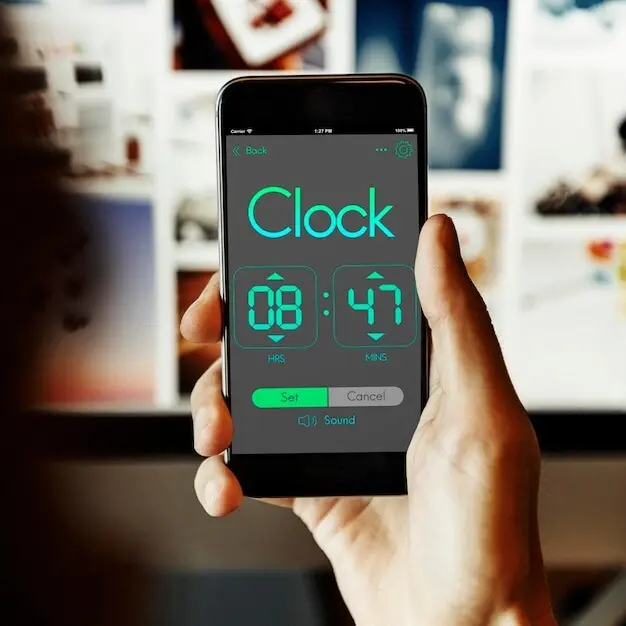
Turn Meetings Into Momentum

Today we dive into calendar-linked notes that automate agendas, tasks, and follow-ups, turning every event into a reliable source of preparation and outcomes. By binding your calendar to living documents, you eliminate blank-page anxiety, capture action items as you talk, and schedule reminders that actually arrive when they matter. Expect practical workflows, humane automation ideas, and stories from teams who saved hours each week while improving accountability, clarity, and confidence across busy schedules.

Why Your Calendar Should Write the First Draft

Busy weeks punish preparation, yet preparation drives outcomes. Let your events seed documents automatically so you start with a scaffold: objectives, attendees, logistics, and linked resources. With calendar-linked notes, you arrive primed, not scrambling. Reusable patterns reduce decision fatigue while preserving nuance, and your history stays connected to time, people, and commitments without extra clicks.

From Invites to Structured Pages

Parse titles, attendees, locations, and conference links to generate a living page the moment an invite lands. Include project tags, past decisions, and open questions pulled from recent notes. Arrive to a concise brief instead of a blank sheet, ready to refine rather than reinvent.

Capturing Intent Before the Call

Send a gentle prompt to participants asking for goals, blockers, and must-cover topics. Their replies flow into the note, time-stamped and attributed, shaping the agenda collaboratively. Everyone sees expectations early, conversations start focused, and follow-ups trace back to clearly expressed intent rather than fuzzy recollection.

Templates That Adapt to Meeting Types

Stand-ups emphasize blockers and next steps, retrospectives celebrate learnings and experiments, one-on-ones nurture growth and clarity. Use conditional sections that appear based on event keywords or calendars. The result feels intentionally crafted each time, yet requires almost no manual curation after the first thoughtful setup.

Attendees and Context in the Right Places

Automatically pin attendee profiles, recent notes mentioning them, and linked docs to the top. Bring in CRM records or ticket summaries when relevant. Context sits quietly beside the agenda rather than buried in tabs, helping quieter voices contribute sooner and leaders coach with better awareness.

Timeboxing Without Losing Spontaneity

Use agenda timers as a gentle guide, not a cage. When discovery opens new paths, capture next steps and defer deep dives with confidence, knowing the note will schedule follow-ups. Creativity thrives because boundaries are visible, decisions are recorded, and tangents become actionable threads instead of distractions.

Designing Smart Agendas That Feel Human

Rigid outlines frustrate collaboration; free-form notes lose structure. Design agendas that breathe. Use sections for outcomes, decisions, risks, and demos, then let contributors add color in context. Intelligent prompts suggest timeboxes and ownership without micromanaging, so the conversation flows while still producing artifacts your future self trusts.

Tasks That Sync Themselves

Action items deserve a real home. As you type or dictate decisions, the system identifies owners, due dates, and dependencies, then syncs them to your task manager while preserving backlinks to the meeting. Nothing gets lost, and status flows both ways without tedious duplication or brittle spreadsheets.

01

Action Items With Owners, Dates, and Links

Use lightweight syntax or smart chips to capture verbs, names, and deadlines in one sweep. Every action becomes traceable: who will do what, by when, and why it matters. Links back to context prevent misinterpretation and accelerate onboarding for collaborators joining mid-stream.

02

Recurring Rituals and Rolling Backlogs

Weekly cadences accumulate open items. Automatically roll unfinished tasks forward with clear ownership and refreshed dates, while preserving history for accountability. Tie items to epics, goals, or OKRs, and generate a digest so the team walks in aligned on priorities before anyone says hello.

03

Cross-App Harmony Without Vendor Lock-In

Connect calendars, notes, tasks, and chat through open formats or stable APIs. When your workflow spans Google, Microsoft, and specialized tools, the system keeps references bidirectional and portable. You retain freedom to evolve tools later without sacrificing history, integrity, or the muscle memory your team relies on.

Follow-Ups That Actually Happen

Great meetings end with momentum. Auto-draft summaries capture decisions, owners, and deadlines, then schedule reminders that respect time zones and working hours. Polished emails, Slack posts, or tickets publish with one confirmation, preserving the human voice while ensuring every commitment reappears when action is feasible, not forgotten.

What Should Be Indexed—and What Shouldn’t

Not every corridor comment belongs in search. Index decisions, action items, and artifacts, and exclude sensitive personal data or speculation. Provide manual overrides and audit trails. People trust systems that forget appropriately and surface only what helps them do excellent work with confidence and care.

Granular Sharing for Cross-Functional Work

Default to least privilege without sabotaging flow. Share entire meeting notes with core attendees, but expose only relevant sections to partners, clients, or leadership. Linkouts replace attachments, access expires automatically, and sensitive blocks require confirmation before forwarding, preserving momentum while honoring boundaries that keep relationships healthy.

Stories From Real Teams

Three founders ran twelve recurring meetings each week. By auto-creating briefs with history and open questions, they shaved minutes from every session and cancelled two entirely. Their calendar-linked notes made decisions visible, debts explicit, and experimentation easier because the system remembered so humans could think.
Action items tagged owners during discovery calls and synced to the CRM with due dates. The pod lead received a daily digest highlighting risks before stand-up. Instead of apologies, they arrived with solutions, and quarter-end pipeline reviews shifted from blame to focused coaching and practical unblockers.
Volunteers joined after work and weekends, so missed follow-ups were costly. Automated reminders respected availability, and summaries linked to micro-tasks anyone could pick up. Momentum survived schedule gaps, meetings shortened, and the mission advanced because coordination felt light rather than bureaucratic or guilt-driven.

Signals Worth Measuring Weekly

Measure how many meetings start with ready agendas, the percentage of actions captured with owners and dates, and the average time to first follow-up. Watch opt-out rates for nudges to keep tone healthy. Let numbers guide refinement, not replace human judgment or empathy.

Rituals That Keep Systems Alive

Hold a short weekly review to prune templates, roll tasks, and archive stale notes. Invite feedback from frequent attendees and new joiners so blind spots shrink. Healthy rituals keep the system fresh, respectful, and reliable without heroics, turning automation into a partner rather than a process idol.

Start Small: A One-Week Pilot Plan

Pick one recurring meeting and connect it to a notes tool with calendar triggers. Configure a lightweight template, enable task sync, and schedule summary reminders. After one week, compare friction, clarity, and outcomes. Share results with colleagues and iterate together before scaling across teams.
Palofarikirasanozeralento
Privacy Overview

This website uses cookies so that we can provide you with the best user experience possible. Cookie information is stored in your browser and performs functions such as recognising you when you return to our website and helping our team to understand which sections of the website you find most interesting and useful.